ProductsVideo Management

Every video, every rule, one library.

Import, tag, encode and organize your library, set who can watch what and where, and publish to every app and channel from the same place. Your CMS, front end and ad stack stay connected through the API.

120 hours a week ingested into one library at Andrew Wommack Ministries.

Transcripts in 6 languages See how it works

Trusted by media teams at

  • Andrew Wommack Ministries
  • Amazing Facts
  • VSiN
  • Nine
  • Night Flight

WHAT'S INCLUDED

The library your whole team can work from.

Editors, programmers and engineers work from the same place, without filing tickets for each other.

  1. Organize a library of any size
  2. Set the rules once
  3. Let AI write the first draft
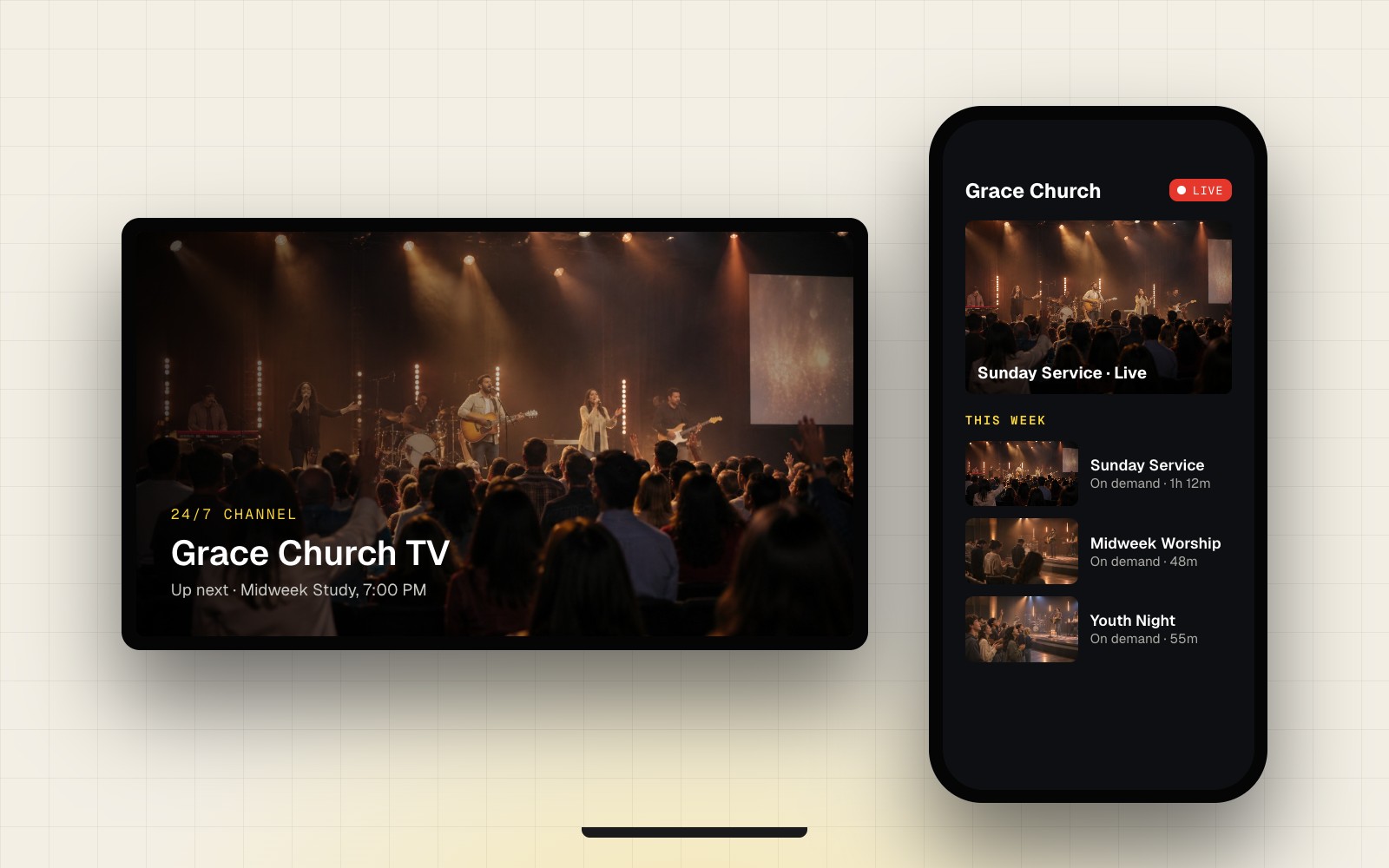
  4. Publish to every app and channel

Organize a library of any size

Metadata, categories, playlists and bulk editing, so editors can find and fix things without engineering.

Set the rules once

Restrict by geography, schedule and plan without custom code. Entitlements decide who can watch, on which plan and device.

Explore Security & Access

Let AI write the first draft

Generate descriptions, tags, transcripts and translations from the video itself, then review and publish.

Explore AI & Automation

Publish to every app and channel

MRSS and JSON feeds and a full content API keep your front end, Playout channels and partners in sync.

Explore APIs & Integrations

Also included

  • VOD encoding in the base tier
  • Embeddable players and paywalls
  • WordPress plugin
  • DRM: Widevine, PlayReady, FairPlay
  • Custom metadata objects (zobjects)
  • MRSS, YouTube and Vimeo import
  • Scheduled publish and sunset dates
  • Live recordings from Zype Live
  • Uptime SLA

HOW IT WORKS

From ingest to publish.

  1. 01

    Bring it in

    Bulk import, watch folders, live recordings from Zype Live, or API ingest.

  2. 02

    Enrich it

    Metadata, categories and playlists, with AI descriptions, transcripts and translations.

  3. 03

    Set the rules

    Content rules for geography, dates and plans. Entitlements and DRM where you need them.

  4. 04

    Encode and play

    VOD encoding and transcoding, and player configuration for your sites.

  5. 05

    Publish

    Feeds and APIs to your apps, Playout channels and partners.

See it with your own library.

Bring a sample of your titles and metadata, and we'll show you how it would look in Zype.

MULTILINGUAL BY DEFAULT

Publish in more languages with automated translation.

Amazing Facts uses automated transcription and translation inside its video workflow to publish in more languages.

  • Transcripts and subtitles in SRT and WebVTT
  • AI-generated translations and subtitles
  • Review and edit before you publish

SPECS

Formats, rules and delivery.

Current capabilities only. Ask us for the full list of supported input formats.

SpecZype Video Management
IngestUpload, bulk import, watch folders, API, Zype Live recordings; MRSS (syncs daily), JW Player, Vimeo and YouTube import; iconik and Wildmoka
File formatsMP4, MOV/ProRes, MPEG-2, MPEG-TS, M4V, AVI, WMV, FLV, 3GP; files up to 600 GB; WebVTT subtitles
MetadataCategories, keywords, custom metadata objects (zobjects), auto or custom thumbnails, bulk editing
PublishingScheduled publish and sunset dates; nested and dynamic playlists with smart ordering
AI enrichmentDescriptions, tags, transcripts, translations
AccessContent rules by country, region, ZIP code and Nielsen DMA, set per video, playlist or category; entitlements by plan
ProtectionExpiring token-based playback URLs; DRM: Widevine, PlayReady, FairPlay
EncodingMulti-rendition VOD encoding and packaging in the base tier; custom presets on Premium; mezzanine files kept for re-encoding
PlaybackWeb player with picture-in-picture, thumbnail scrubbing, Chromecast and AirPlay; paywall and redemption-code embeds; WordPress plugin
DeliveryMRSS and JSON feeds, content API, multi-CDN
SLA and supportUptime SLA; Standard or Premium support tiers

Five brands, five production teams and 33 external programmers, all in one library.

120 hrs
of content ingested a week
15 min
from live broadcast to on demand
33
external programmers

SWITCHING TO ZYPE

Switching without the cutover risk.

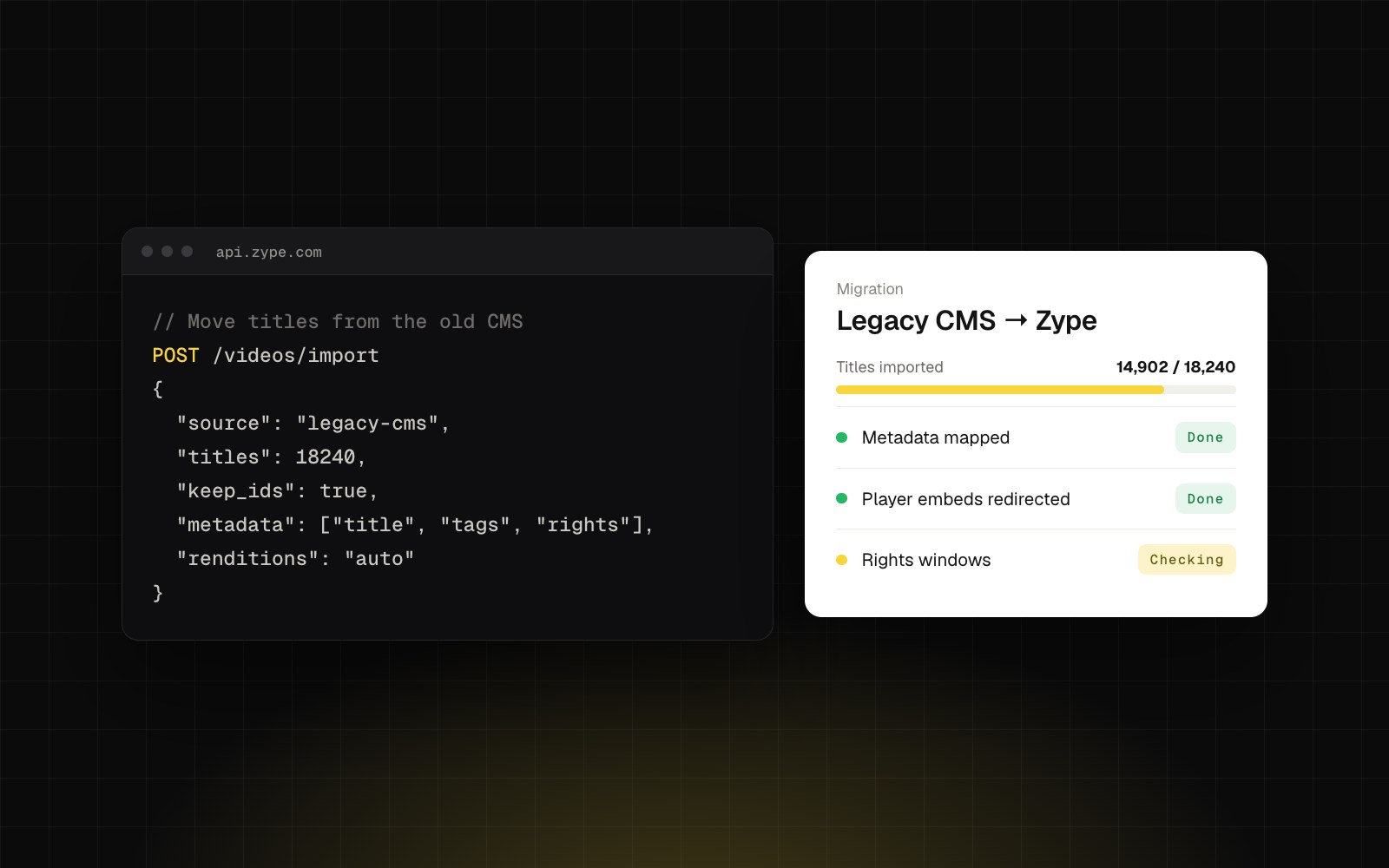
Most teams move one workflow first and run it alongside the old setup until they're confident. You get a named solutions engineer from the first call to go-live.

  1. 1

    Map it

    We inventory your assets, metadata, playlists and access rules.

  2. 2

    Run in parallel

    Import by API or bulk upload while your current CMS keeps serving.

  3. 3

    Cut over by app

    Point one app or site at Zype at a time.

  4. 4

    Retire the old path

    Turn off the old CMS once every feed is confirmed.

We handle

  • Bulk import and metadata mapping
  • Feed and API setup
  • Content rule configuration
  • Team training

You handle

  • Asset access and rights
  • Front-end changes
  • Approvals and sign-off

FAQ

Technical questions, answered.

Can't find what you need? Our solutions engineers can walk through your workflow.

Can we migrate from our current CMS?

Yes. Assets, metadata, playlists and access rules come over by bulk import or API, and both systems can run in parallel during the move.

Can we keep our own front end?

Yes. Your sites and apps read from Zype through the content API and MRSS or JSON feeds.

How do content rules work?

Set restrictions by geography, schedule and plan in the dashboard. They apply wherever the content plays, with no custom code.

What encoding is included?

Multi-rendition VOD encoding and packaging are included in the base tier.

What can AI do in the library?

Generate descriptions, tags, transcripts and translated subtitles from the video itself, then let editors review and publish. Through the Zype MCP server, AI assistants can find assets and update metadata in plain language, and new AI features ship regularly.

Can we embed video on our own website?

Yes. Use the embeddable web player and paywall embeds on any site, or the Zype WordPress plugin to add videos and playlist galleries with shortcodes.

Which DRM systems are supported?

Widevine, PlayReady and FairPlay, across web, mobile and connected TV.

How is access controlled by plan?

Entitlements connect titles to subscription, pass and rental plans, so viewers see what their plan includes on every device.

Talk to us about your library.

Walk through your library, metadata and access rules with the Zype team.